

This tutorial will guide you through the steps to set up two factor authentication (2FA) on your DrinksIntel.com account, ensuring enhanced security.
To begin, log into your account on DrinksIntel.com. Once logged in, look for a yellow prompt at the top of the page.
You will see a yellow box indicating that you do not currently have two factor authentication (2FA). Click on the Configure 2FA link to proceed.
Next, navigate to Login Security from the Wordfence sidebar. This will bring you to a page displaying a QR code, which you will need to scan using your Authenticator app on your mobile device.
This QR code is essential for generating the two factor authorization codes for your account. To start, first scan the QR code with your Google Authenticator app. If you do not have this app, download Google Authenticator or a similar application.
Once the QR code is scanned, your app will begin generating codes every 30 seconds specifically for your DrinksIntel account. Input the verification code generated by your app in the designated box in Step two, then click Activate.
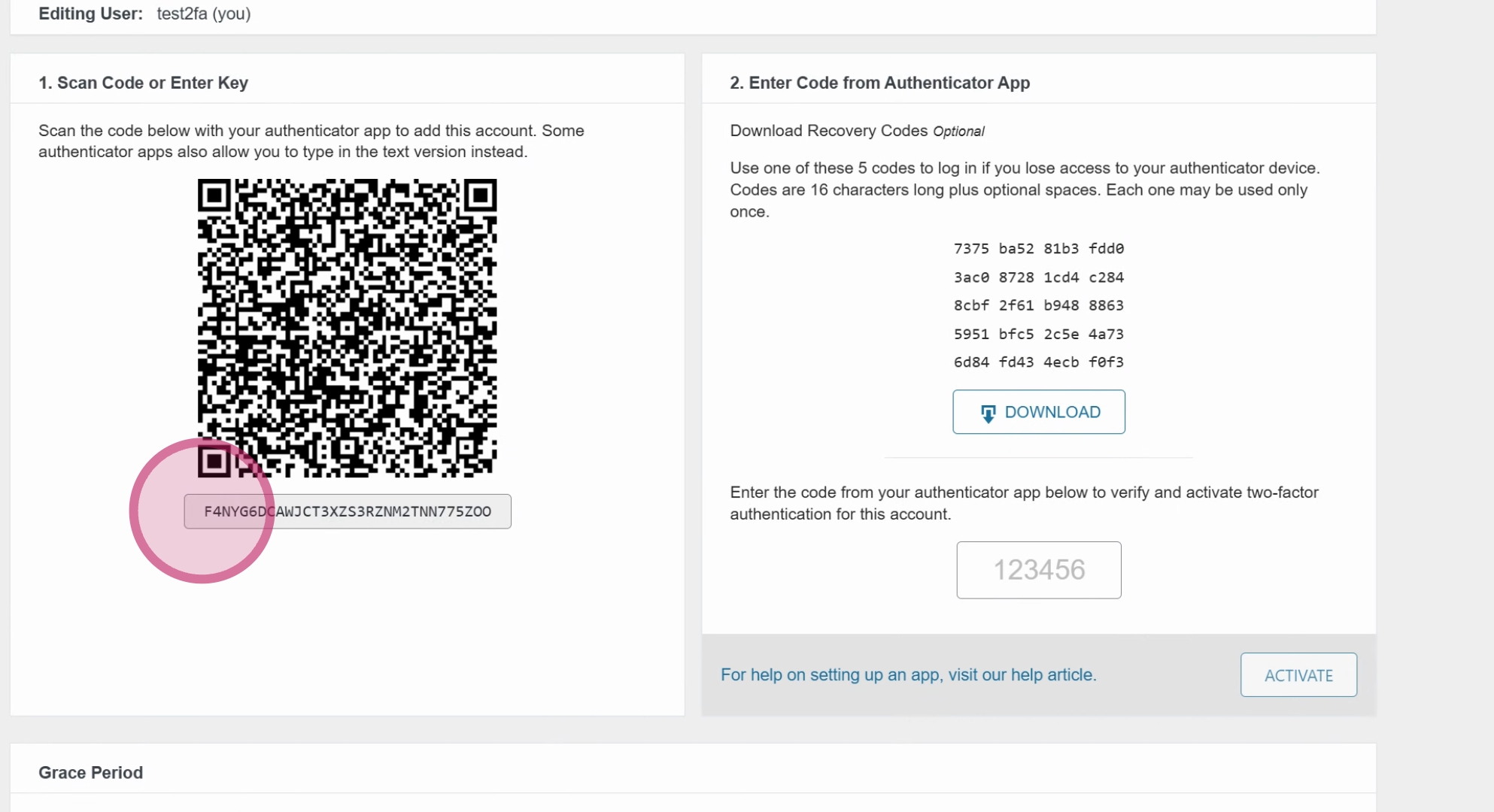
To summarize, there are three steps to complete the 2FA setup: Step one is to scan the QR code. Step two is to input the generated code into the box provided. Step three is to click Activate.
After successfully activating 2FA, you will be prompted to use it every time you log into your account. You have the option to check a box that will allow you to skip this verification for 30 days.
Keep in mind that you may need to redo this setup on any new devices you use to access your account. However, once configured, using 2FA should be a straightforward process.
By following these steps, you will successfully set up two factor authentication on your DrinksIntel.com account, enhancing your security. If you have any questions or need further assistance, please feel free to reach out.
