

This tutorial provides a comprehensive guide on managing subscribers in Leaky Paywall, specifically focusing on the process of changing a subscriber's plan from a single user subscription to a corporate subscription.
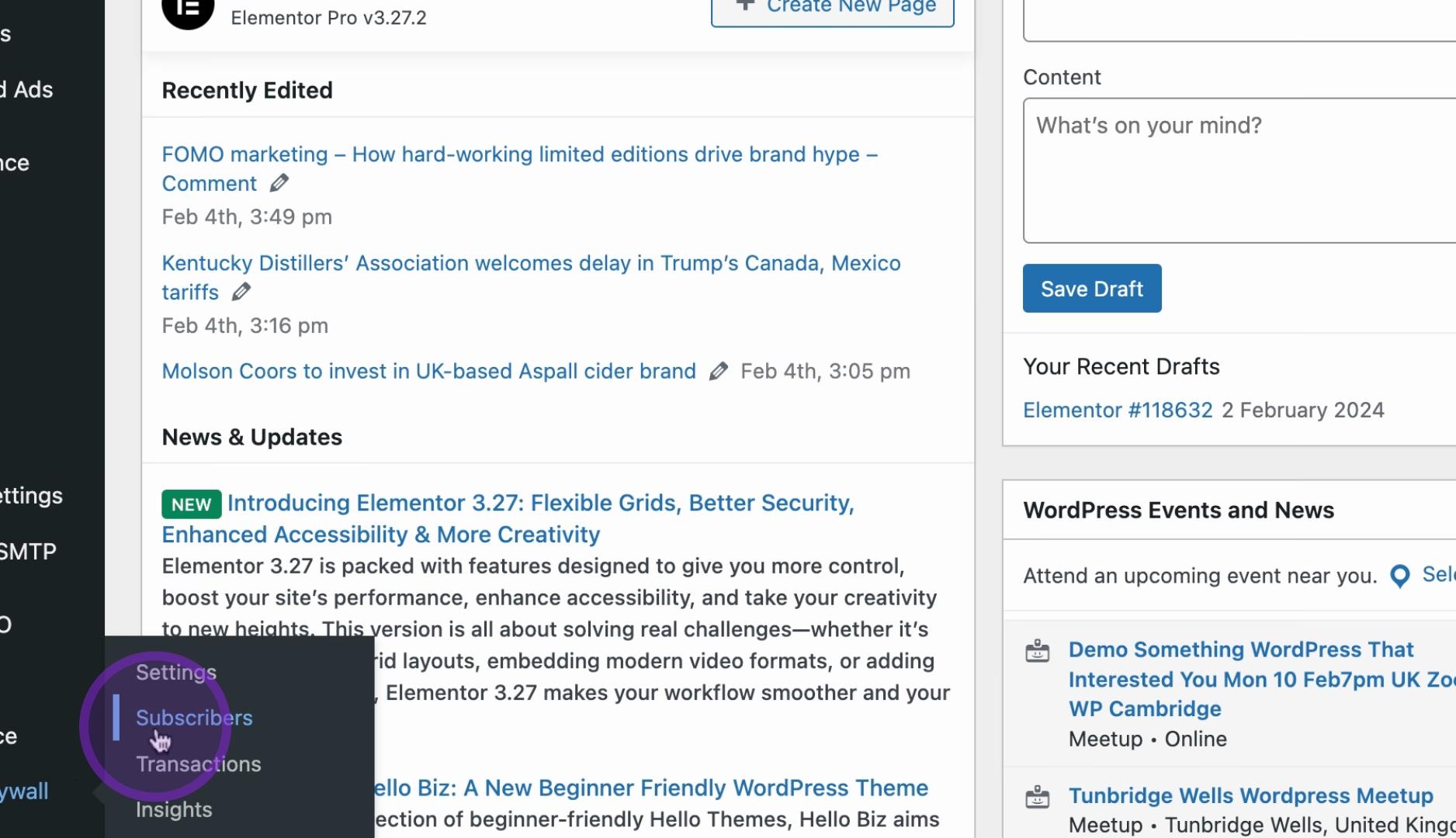
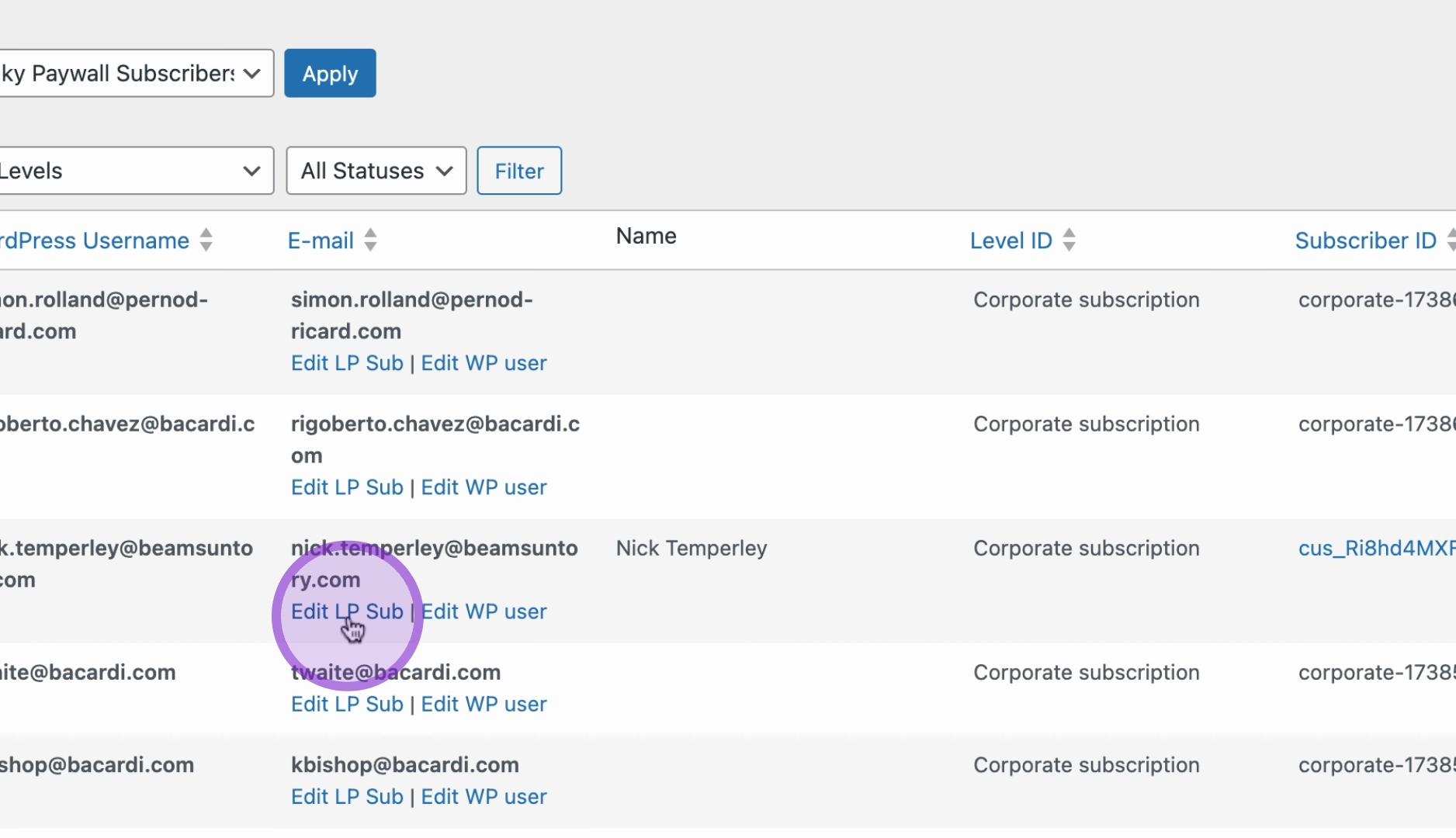
First, scroll down to Leaky Paywall and navigate to Subscribers. Then, find the subscriber in question. You can use the search bar if needed.
Edit the Leaky Paywall subscriber. Since the subscriber already has an account set up, this is primarily a backend administrative task.
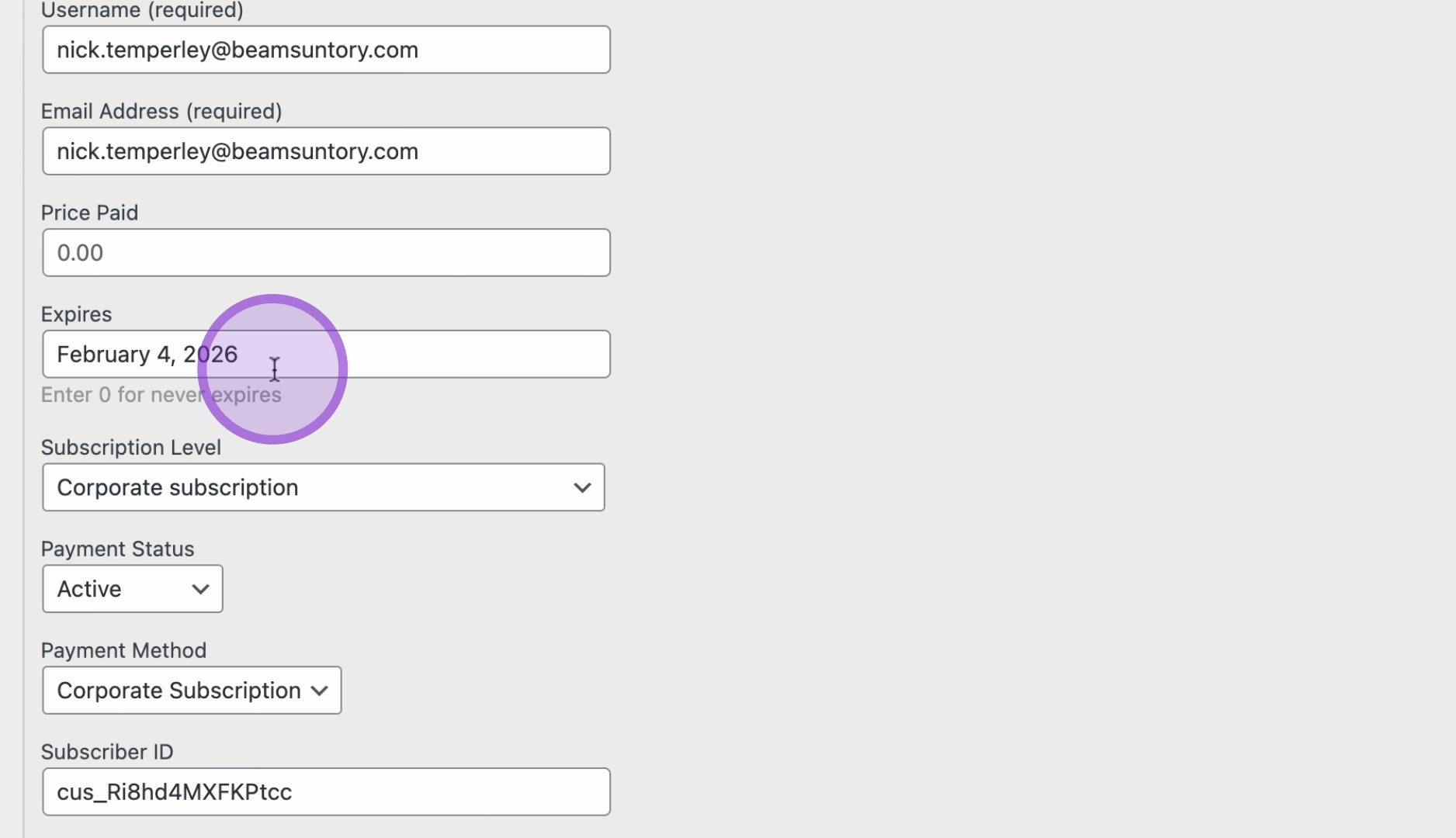
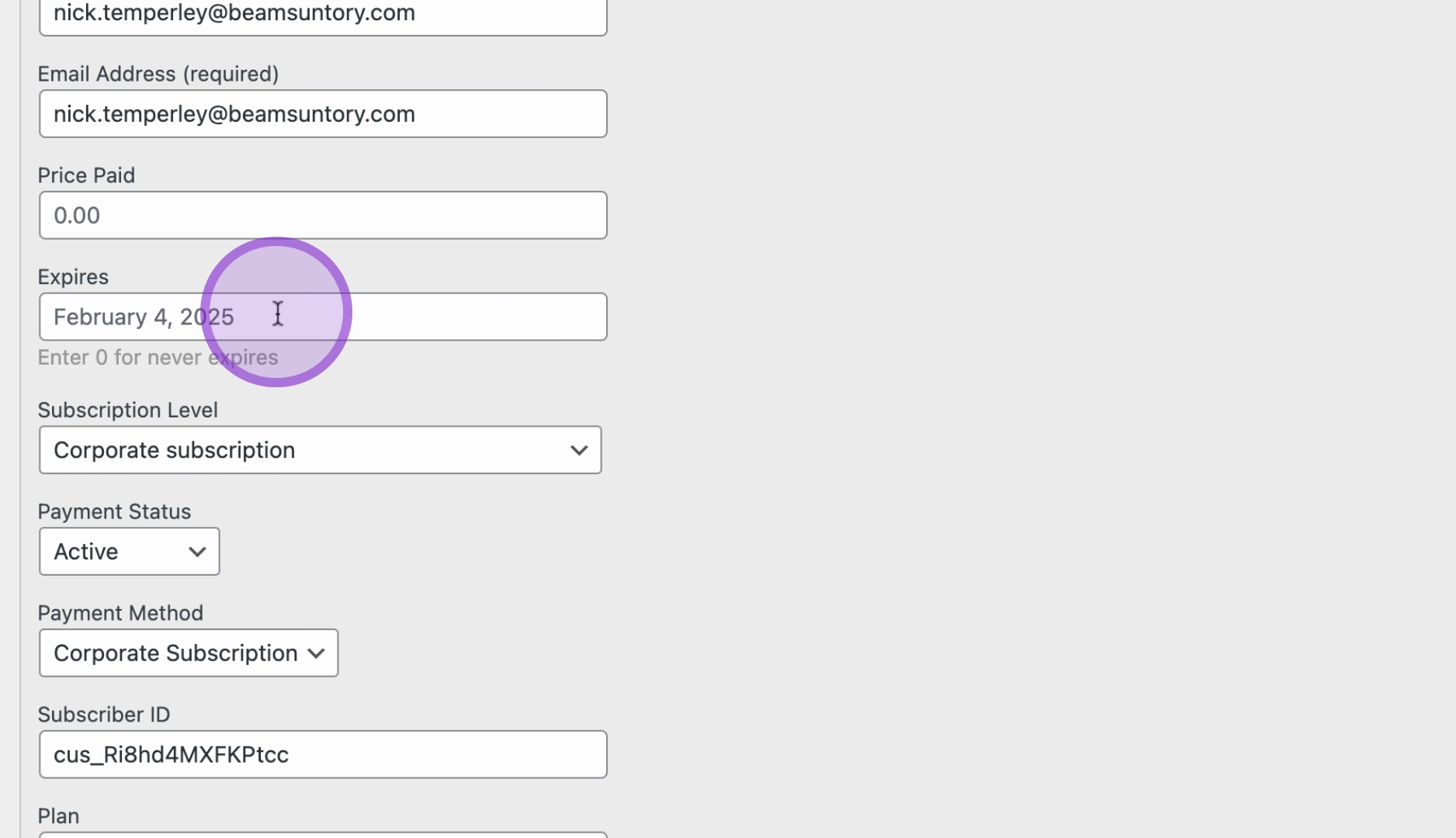
Delete the expiry date and enter zero. This action indicates that the subscription never expires.
Change the subscription type to Corporate Subscription and ensure the payment method reflects this choice as well.
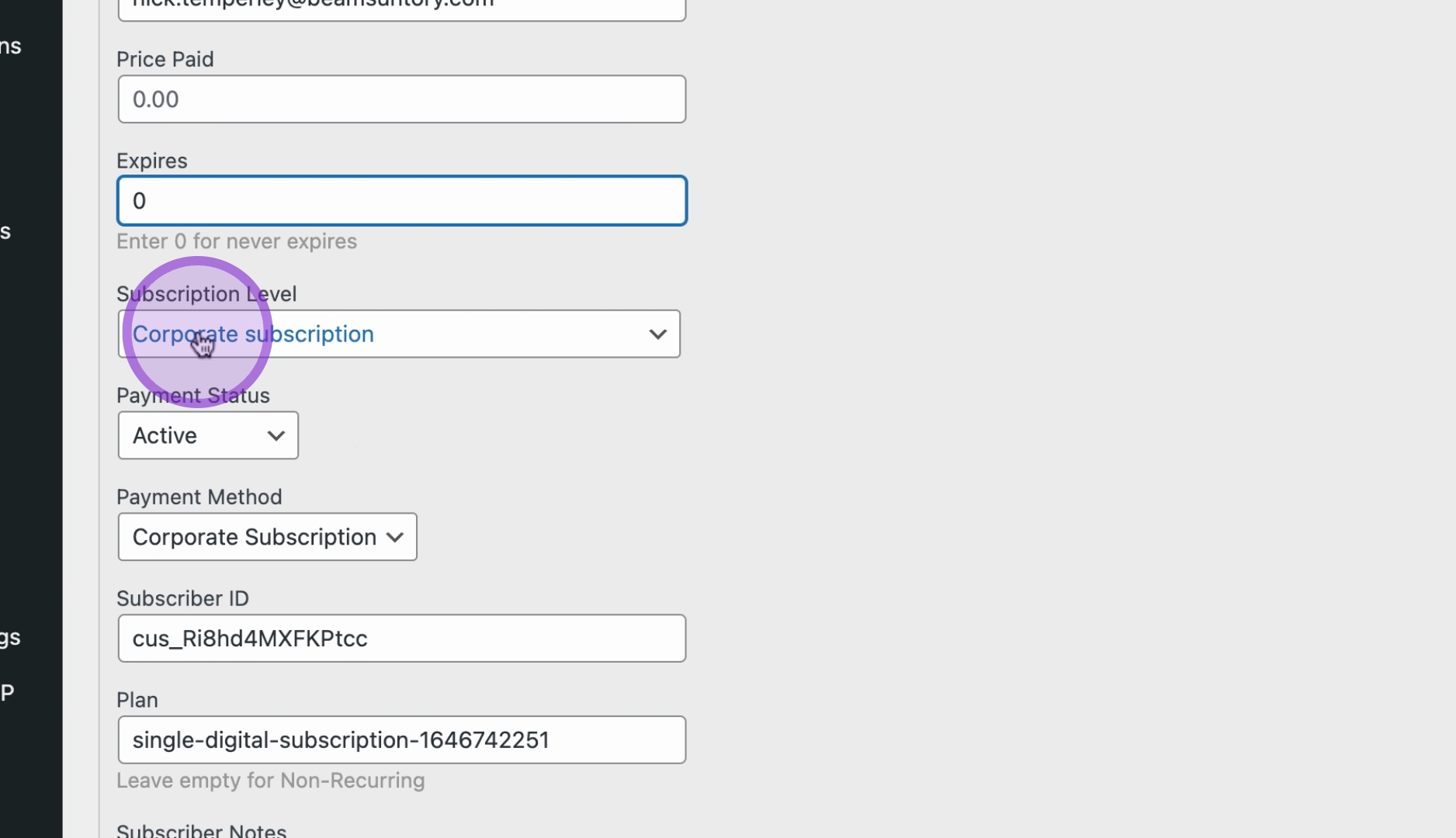
Next, delete the plan to prevent Stripe from prompting for a payment in a year, as the subscriber is now on the corporate subscription.
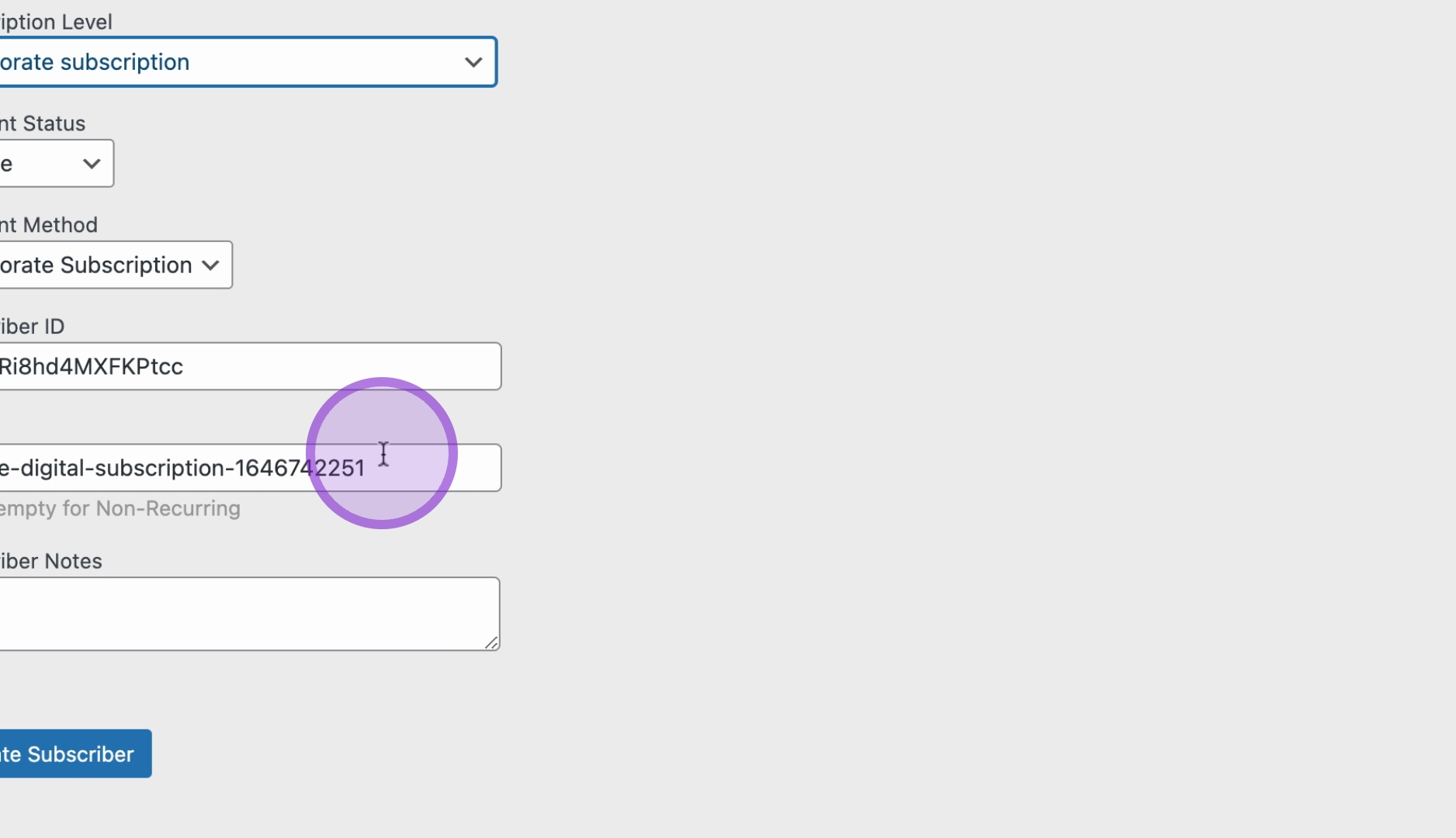
Finally, hit Update Subscriber to complete the process.
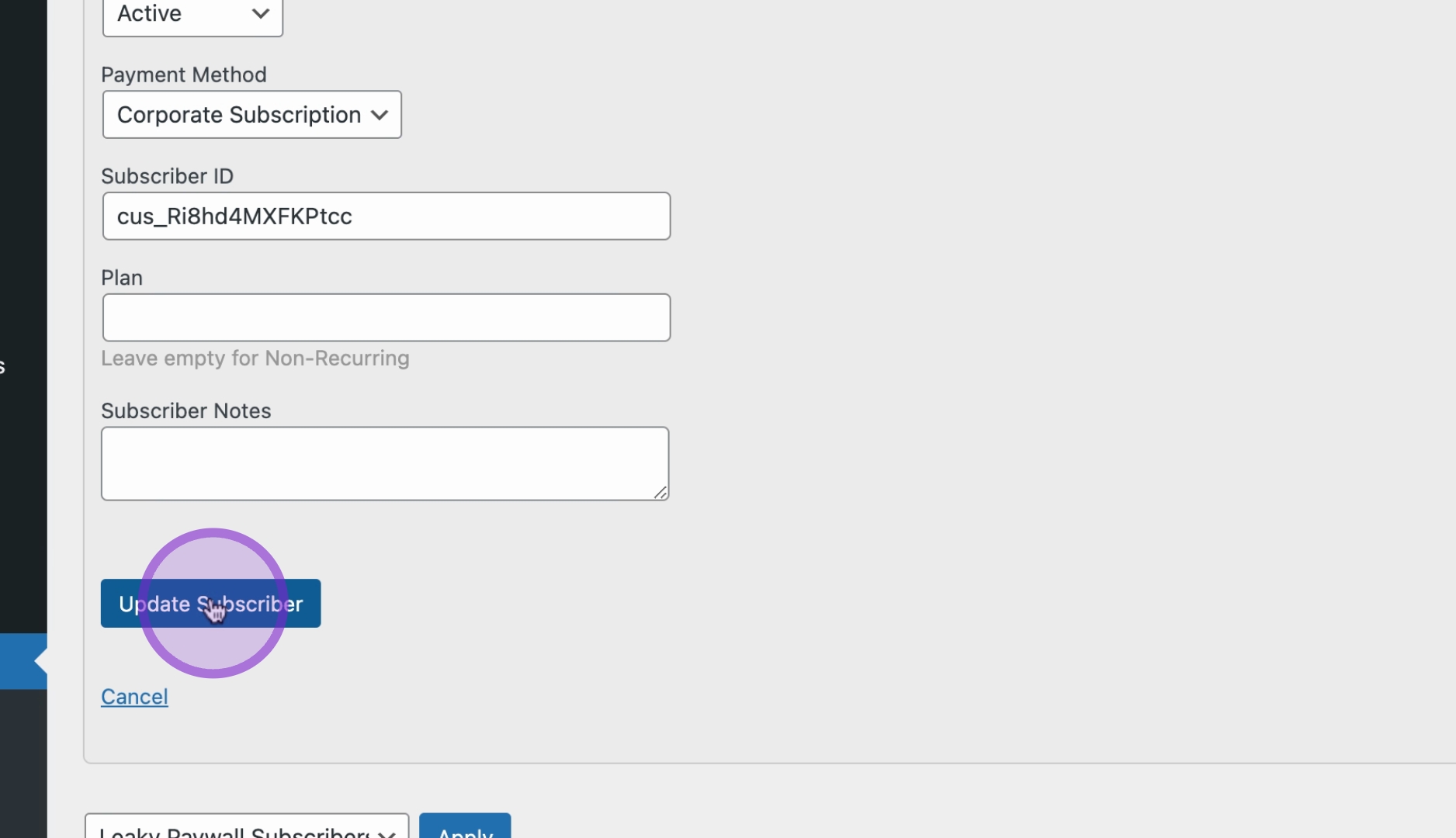
To summarize, we identified the user who had a Single Digital Subscription and needed to transition to a corporate subscription.
Additionally, ensure to remove the expiry, change the subscription level and payment method to corporate subscription, and remove the plan accordingly.
By following these steps, you will successfully manage and update your subscribers in Leaky Paywall.
